























Clear actions
Create classes, take attendance, send messages, or record payments in just a few clicks.

User experience
Teach ’n Go is designed to be intuitive from day one, so admins, teachers, students, and parents can get things done without training or frustration.
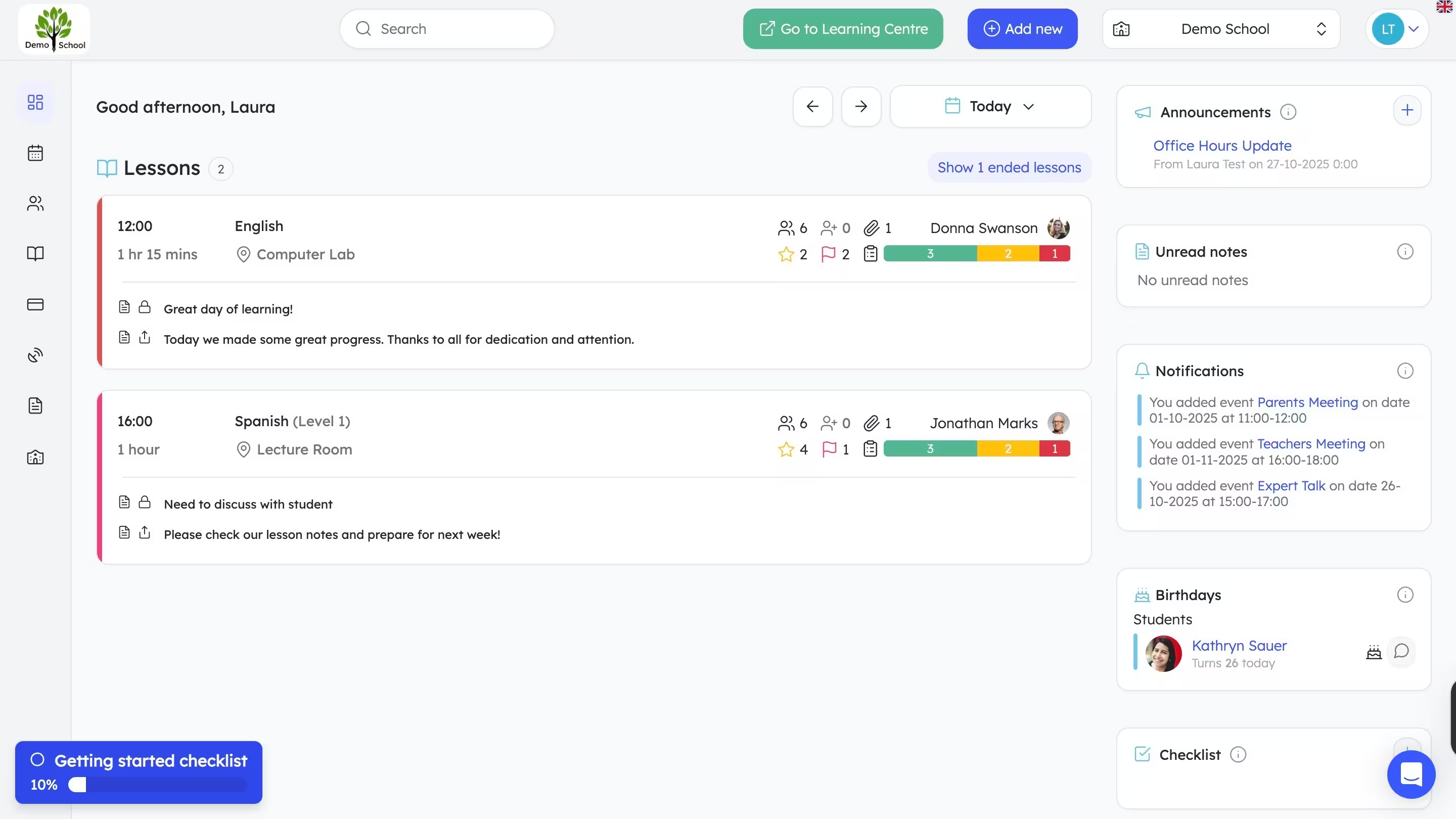
Designed for humans
Every screen is built around how schools actually work, not around complex systems or technical jargon.
Create classes, take attendance, send messages, or record payments in just a few clicks.
The same structure across pages means users always know where to look.
Only relevant information is shown, reducing overwhelm and mistakes.
For staff & teachers
Most teams can start using Teach ’n Go immediately, and still have advanced tools when they need them.
Take attendance, update lessons, or reschedule classes in seconds.
New staff and substitute teachers can use the system confidently on day one.
Visual confirmations and alerts reduce errors and missed steps.

Quick actions, logical flows, and consistent screens help teams complete tasks without back-and-forth.
For parents & students
Parents and students can view schedules, messages, attendance, and payments without needing help from your admin team.
Upcoming lessons, changes, and cancellations are easy to understand.
Messages, announcements, and notes are grouped and easy to follow.
The same clean experience on desktop, tablet, and the mobile app.
Built to scale
As your school grows, the interface stays clear, even with thousands of students, classes, and records.
Most settings work out of the box, with customization when you need it.
Find the right class, student, or record instantly, even in larger schools.
Bulk actions and quick edits save hours as your operations expand.
FAQ
Quick answers about setup, support, pricing, and using the platform day to day.
Yes. Teach ’n Go is designed to be intuitive for admins, teachers, parents, and students. Most teams can start using core features like scheduling, attendance, and messaging right away.
They can use Teach ’n Go on web or mobile, but many schools prefer the app for parents and students because it’s quick for checking schedules, messages, attendance, and payments.
Yes. Teachers can take attendance in a few clicks and add lesson notes that help admins and families stay informed (depending on your permission settings).
Yes. Pricing is based on the number of students and your school’s needs. Visit the pricing page for details, or book a demo to get a recommendation for your setup.
Yes. Teach ’n Go is designed for schools of all sizes, from small tutoring centres to multi-location schools. You can start with the features you need and scale as you grow.
We help you get set up quickly with onboarding guidance, migration assistance, and responsive support so your team can launch smoothly.
Try it yourself
Start your free trial today and see how easy school management can be.