























AI chat assistant (instant answers)
Get quick answers about Teach ’n Go, workflows, and troubleshooting — and ask to speak with our team anytime.

Get help when you need it — with chat support, onboarding guidance, and a growing Help Centre.
Teach ’n Go makes it easy to reach our team, resolve issues quickly, and keep your school running smoothly — from setup through day-to-day operations.
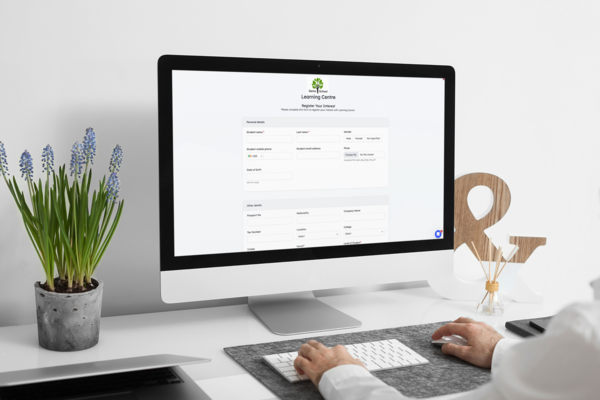
Get quick answers about Teach ’n Go, workflows, and troubleshooting — and ask to speak with our team anytime.
Find guides, best practices and common workflows — and we keep adding to it.
Get your team confident quickly with onboarding support and workflow advice.
Whether you’re onboarding, migrating data, or just need a quick answer, Teach ’n Go provides clear ways to get help — so you spend less time troubleshooting and more time running your school.
We had questions during setup and needed responsive support.
Fast help, clear resources, and onboarding support — so you can adopt the platform confidently.

Start with our AI assistant for fast help—then ask to speak with our team anytime.
 alt="Online chat support via Intercom." />
Message us via Intercom on the website or in-app to get help quickly—without long email threads.

Find guides, best practices, and common workflows—and we keep adding to it.

Get structured setup help so your team can learn the platform and launch smoothly.

Book a call to see workflows live and ask questions tailored to your school.
Multiple ways to get help, so teachers and admins can stay productive.
Reach support quickly from the website or app when issues come up.
Self-serve answers for common workflows and feature questions.
Get help configuring your setup so your school starts confidently.
See workflows in action and ask questions specific to your operations.
Use email for longer requests and share details when needed.
Reduce time spent troubleshooting so your team stays focused.
Know where to go for quick answers vs deeper onboarding needs.
Help your team adopt best-practice workflows instead of guessing.

Fantastic customer service and flexibility. The Teach ’n Go team has always been responsive, flexible and accommodating.
Diana Izu
Program manager, Specialist Language Courses
Choose the support option that fits your situation — from quick answers to guided onboarding.
Find quick answers to common questions about Teach 'n Go support.
Technical support in education refers to services and resources that help staff use education software effectively, troubleshoot issues, and keep operations running smoothly. This can include live chat support, onboarding help, and a help centre with guides.
Examples include live chat assistance, help centre documentation, onboarding and training, troubleshooting during setup, and answering questions via email or contact forms.
You can message the team via Intercom chat (bottom-right of the site/app), browse the Help Centre, request onboarding help, book a private demo, or email info@teachngo.com.
Yes. We provide onboarding support to help your team learn the platform, set up key workflows, and launch with confidence.
Yes. You can book a private demo to see the platform in action and ask workflow-specific questions.
Our Help Centre includes posts about features, common questions, and guidance. We keep expanding it with new content.
Yes — email info@teachngo.com or use our contact form at teachngo.com/pages/contact-teachngo.
In minutes, build your first class and share it with your teachers. No credit card required.
In 30 minutes, we’ll show you how Teach 'n Go can transform your school or training centre.
Connect scheduling with attendance, student records, payments and messaging — so your school runs smoothly in one system.
Build timetables faster, prevent conflicts, and keep staff updated in real time.
Learn more →Accept online payments, generate invoices, and track overdue balances.
Learn more →Track attendance quickly and keep reports accurate for every class.
Learn more →Keep student records organised, searchable, and easy to maintain.
Learn more →Send updates to teachers, students, or parents without manual follow-ups.
Learn more →Get expert help with setup, migration, and best-practice workflows.
Learn more →